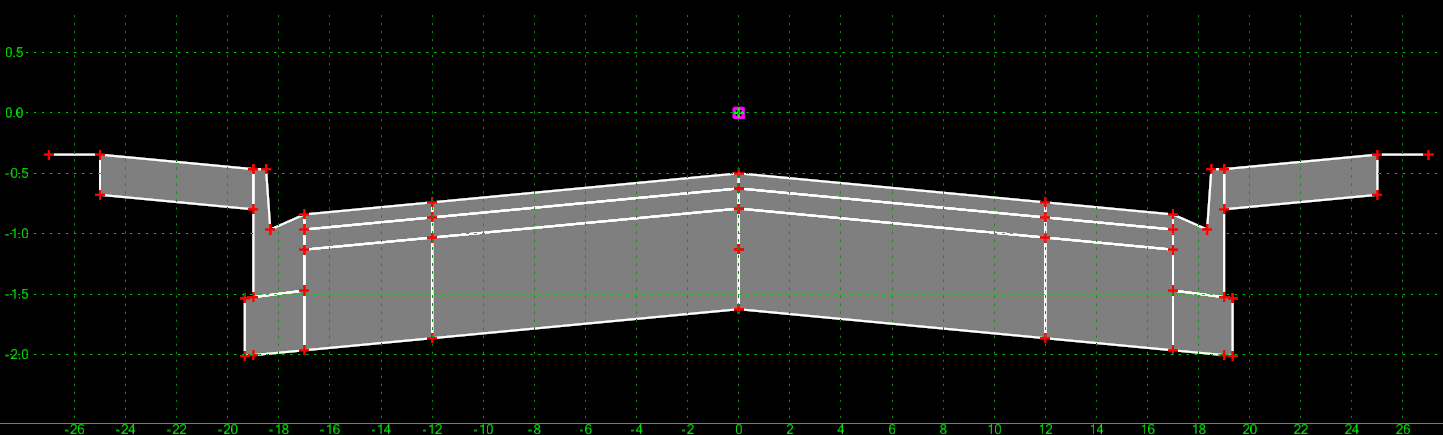
Roadway template automation
Describe a roadway section.
Generate an ITL template.
DraftLayer generates an editable CAD roadway template you can download and refine in OpenRoads Designer.
Roadway template automation
DraftLayer generates an editable CAD roadway template you can download and refine in OpenRoads Designer.
From ITL download to 3D model in seconds
Download the generated ITL, bring it into OpenRoads Designer, and review the resulting roadway model in plan, 3D, and cross-section views.
Editable in OpenRoads Designer
DraftLayer is meant to get the repetitive setup out of the way. The exported template still lands in the engineer's normal ORD workflow for review and adjustment.
DraftLayer is designed to move repetitive roadway template setup out of the drafting queue and into a guided review workflow.
Upload a typical section PDF, or type a plain-language description of the cross-section.
DraftLayer identifies roadway elements and constrains the components into a template.
Download the ITL file for an editable corridor-ready template.
DraftLayer currently recognizes the following standard roadway components. More components will be added over time.
Input modes
Whether you're digitizing an existing drawing or designing from scratch, DraftLayer turns roadway section intent into a structured template starting point.